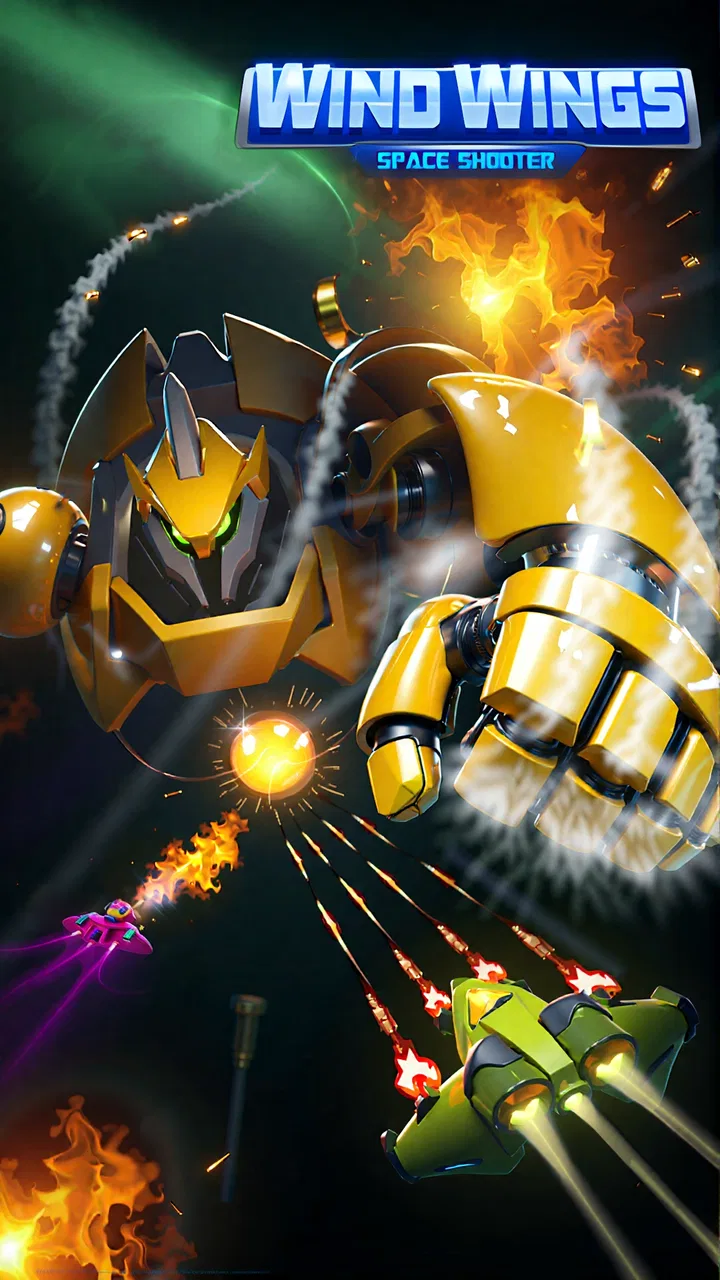
WindWings: Galaxy attack Pro
- 4.6
- Rating
- 1.00M
- Installs
- $0.15
- Price

 Analysis by App-foxy
When I first picked up WindWings: Galaxy attack Pro, I expected a quick arcade shooter that I could play in short bursts, and that is exactly the role it fills best. It puts me in a space-combat setting where the main task is to survive enemy attacks, keep moving, and improve my performance from one attempt to the next. The idea is familiar, but the appeal comes from how quickly the game gets me into the action rather than asking me to learn a complicated system first.
This is an arcade game from GCenter, released on October 9, 2020. It is suitable for Everyone, runs on Android devices using version 6.0 or later, and the current version is 1.0.69. The game costs $0.15, while optional in-app purchases range from $0.99 to $99.99 per item. That combination makes the initial price very low, but I would still keep the optional purchase range in mind before handing the game to a child or allowing purchases on a shared device.
The game has built a sizeable audience, with more than a million installs and a 4.6 average from roughly 23 thousand ratings. Those figures suggest that its straightforward space-shooter format connects with many players, although popularity alone does not make it right for everyone. I found that the most important question is whether you enjoy repeating short arcade runs and gradually becoming better at reading enemy patterns.
You May Also Like

 Blood Strike: 2.5 Anniversary
Blood Strike’s Loadouts Turn Every Drop Into a Tactical Gamble
A close look at Blood Strike’s custom loadouts: how fast access to signature weapons reshapes its battle royale rhythm, rewards preparation, and narrows the gap between fights.

 Pandora - Music & Podcasts
Pandora’s Music Is Easy to Start, but Harder to Recover
Pandora’s strength is its low-effort path from a seed to a station. Its weak spot is how much confidence it asks you to place in connection, setup, and quiet recovery.

 8 Ball Pool
 Is Built on Rivalries, Rematches, and Routine
A close look at the rivalries, rematches, shared routines, and unanswered safety questions that turn a quick pool match into a persistent mobile community.

 Samsung Music
’s Quiet Strength Is Playing What You Already Own
Its reach comes less from spectacle than from dependable access to a personal library. That simplicity is both the app’s strongest retention engine and its ceiling.

 AccuWeather: Weather Radar
AccuWeather Review: A Quick, Clear Forecast for Everyday Decisions
For everyday plans, the best forecast is the one you can understand quickly. AccuWeather makes rain timing, radar, and local conditions easy to act on, with a few trade-offs.

 Hill Climb Racing
Why Hill Climb Racing Still Turns Crashes Into One More Run
A tiny car, a bumpy hill and one more upgrade: Hill Climb Racing keeps resurfacing because its simple chaos makes every near-miss feel personal.
More From Our News Desk



What playing it actually feels like
The basic rhythm is easy to understand: enter a space battle, deal with incoming enemies, avoid danger, and try to last longer or perform better. That simplicity is useful because I can start a session without remembering a long story or studying a large menu. It also means the game depends heavily on the quality of its moment-to-moment action. If you want a deep role-playing system or a slow strategic campaign, this is not the best match.
I see it as a good companion for small gaps in the day. A short break, a commute with reliable connectivity, or a few minutes before bed can all suit this kind of arcade design. The controls and goals are easier to approach than those of a complex simulation, so I do not need to commit to a long session to get something from it. At the same time, repeated play can expose the limits of the format if you are looking for constant novelty.
The strongest part of the experience is the immediate pressure. Space shooters work when the screen gives me enough to react to without becoming unreadable, and the game encourages an active style rather than passive waiting. I have to pay attention to where threats are appearing and avoid focusing so much on attacking that I forget to protect myself. That balance is where the arcade challenge becomes satisfying.
Where new players usually get stuck
The first obstacle is often not installation but expectation. Someone may see a space-invasion theme and assume the game will offer an extensive narrative, open exploration, or a large set of strategic choices. I would approach it instead as a focused arcade challenge. Its value is in replaying action sequences and sharpening reactions, not in replacing a full console-style campaign.
Another common sticking point is treating every run as a test of speed alone. In my experience, rushing toward targets can make a session feel harder than it needs to be. I get better results when I watch the whole play area, leave myself room to move, and treat survival as part of the score rather than an afterthought. This is a small change in mindset, but it makes the game feel less chaotic.
Players can also become frustrated when they repeat the same mistake without identifying it. If a run ends because I move toward danger while concentrating on an enemy, simply restarting does not teach me much. I try to notice whether the problem is late movement, poor positioning, or losing track of the wider screen. That kind of self-review is more useful than assuming the game is unfair after one failed attempt.
Setup checks before blaming the game
Because the minimum requirement is Android 6.0, I would begin by checking the device version before doing anything else. A compatible operating system does not guarantee that every phone will feel equally comfortable, but it avoids wasting time on a basic compatibility issue. I would also make sure there is enough free storage for installation and that the device is not already struggling with many background tasks.
If the game does not install correctly, my first practical checks would be the connection, available storage, and the device’s app store session. I would retry on a stable network rather than repeatedly tapping install during a weak connection. If an update appears stuck, closing other downloads and restarting the device can be a sensible general step. These checks are simple, but they separate an installation problem from a problem inside the game itself.
The small purchase price is another setup detail worth considering. I would review the payment settings on a shared phone before playing, especially because optional items can cost as much as $99.99. The game is rated Everyone, but that rating describes content suitability; it does not remove the need for an adult to manage purchases. This is particularly relevant if a child can access the device without supervision.
On a phone with limited performance, I would close demanding apps before starting a session and avoid playing while the device is already hot. I would not treat every stutter as a software defect. Heat, low available memory, battery-saving behavior, or a crowded background workload can all affect how an arcade game feels. A clean restart can tell me whether the issue is temporary rather than permanent.
A practical way to recover a broken session
If the game opens but a run behaves strangely, I would first leave the session normally and relaunch it. That gives the app a chance to clear a temporary state without immediately changing anything important. If the problem remains, I would restart the phone and test again before considering more disruptive steps. I prefer this order because it protects progress and avoids unnecessary reconfiguration.
When input feels delayed, I would check whether the phone is registering touches correctly outside the game. A dirty screen, a thick case edge, or a device that is busy with another process can make movement seem unreliable. Testing several simple touches in another app helps identify whether the problem belongs to the game or to the device. If other apps respond normally, I would then retry WindWings after closing background tasks.
For connection-related trouble, I would switch between a dependable Wi-Fi connection and mobile data only if that option is available and appropriate. I would avoid repeatedly changing networks during a session, since that can make it harder to tell what fixed the problem. If the game works after a clean relaunch on a stable connection, I would treat the earlier failure as temporary rather than immediately reinstalling.
Reinstallation should be a later step, not the first response. Before using it, I would consider whether local progress or settings might be affected and whether I can safely install the game again. The same caution applies to clearing app data: it can remove local information, so I would not use it casually just because one session failed to load. A controlled sequence of checks is safer than deleting everything in frustration.
When the app is not the cause
Some complaints that appear to be game problems are really device or environment problems. If the entire phone is slow, the screen is missing touches in other apps, or several games close unexpectedly, WindWings is probably only one symptom. In that situation, freeing storage, closing background applications, updating the operating system when appropriate, or letting the device cool down makes more sense than focusing only on this title.
Battery-saving modes can also change how a game feels, particularly during fast movement. I would test the game with the phone adequately charged and without an unusually restrictive power mode, then compare the result. I would not disable safety or security features just to improve a game session. The goal is to identify ordinary device limits without making risky changes.
Network quality is another source of confusion. A weak signal can affect downloads, updates, or any online-dependent part of the experience, but it does not automatically prove that the game itself is defective. If a session is playable after moving to a more stable connection, the practical answer is to use that connection when possible. If other services are also failing, I would investigate the network rather than repeatedly reinstalling the game.
Touch comfort matters more than I expected with this kind of arcade title. A small screen, a damaged protector, or an awkward grip can make accurate movement tiring. I prefer holding the phone so my hands do not cover the active area and taking short breaks instead of forcing a long session. This is especially useful for players who find that their performance declines because of hand position rather than reaction speed.
How I would build a better playing routine
My first tip is to use early attempts as observation runs. Instead of chasing the best possible result immediately, I watch how threats enter the screen and identify the spaces that remain safe for movement. This turns failure into information. It also helps prevent the common habit of reacting only to the nearest enemy while ignoring what is about to arrive from elsewhere.
My second tip is to separate movement practice from score chasing. During one session, I concentrate on staying alive and keeping a controlled position. During another, I try to improve my offensive timing. Combining both goals every second can create unnecessary pressure, while separating them makes it easier to see what is actually improving.
A third useful habit is to stop after a few poor attempts rather than continuing automatically. Arcade games can encourage a restart loop in which frustration replaces concentration. I get more from the game when I pause, check whether the phone is warm or the controls feel uncomfortable, and return later with a clearer head. This is a practical advantage of the short-session format: I do not lose an entire evening by taking a break.
I would also decide in advance whether optional purchases fit my budget. The low entry price makes the game easy to try, but the presence of purchases means the total cost can rise. I would not buy something simply because a difficult run made me impatient. If progression feels satisfying without spending, keeping the game as a small paid arcade diversion is the better value for me.
Who will enjoy it, and who should skip it
I would recommend it to players who like classic space-shooter pressure, quick restarts, and improvement through repetition. It is also a reasonable choice for someone who wants an accessible arcade game rather than a large adventure with many systems to manage. The Everyone rating makes it broadly approachable from a content perspective, although younger players still need sensible purchase supervision.
It is less suitable for anyone who dislikes repeated attempts or expects every session to introduce a major new mechanic. Players who prefer turn-based planning, open-world exploration, or a story-led campaign will probably find the focused arcade structure too narrow. I would also hesitate to recommend it to someone whose phone has persistent performance or touch problems, because those issues can undermine a game built around quick reactions.
Compared with a free arcade alternative, the $0.15 starting cost is appealing, but the optional purchase range deserves attention. Compared with a premium game with no purchase pressure, WindWings may feel more accessible at first while offering a different spending trade-off. I would choose it when I want a low-cost space shooter for brief sessions, not when I want a complete, distraction-free premium package.
My practical verdict after using it
WindWings: Galaxy attack Pro succeeds because it understands the basic pleasure of an arcade space battle: move decisively, survive pressure, and try again with better awareness. I like that I can approach it without a long learning period, and I find the short-session structure convenient. The game is at its best when I treat it as a focused skill challenge rather than expecting it to deliver the breadth of a larger action game.
Its friction points are equally clear. Repetition can wear thin, device performance can affect a reaction-based experience, and optional purchases make it important to manage spending carefully. None of those issues automatically disqualifies it, but they change who should download it. I would test it on the intended phone, confirm that the controls feel comfortable, and decide on a purchase limit before settling into regular play.
With over a million installs and a 4.6 average from around 23 thousand ratings, it has clearly found an audience. My own recommendation is measured but positive: choose it if you want an inexpensive, straightforward arcade shooter that rewards attention and repeated practice. Skip it if you are searching for deep exploration, a substantial story, or a game that never asks you to replay familiar patterns. For the right player, it is a compact galaxy battle that works best when played in focused bursts.
FAQs for WindWings: Galaxy attack Pro
01What is WindWings: Galaxy attack Pro?
WindWings: Galaxy attack Pro is a space-shooter game for mobile devices in which you pilot a futuristic aircraft through waves of alien enemies. The game combines classic arcade shooting with modern upgrade systems, special weapons, boss battles, and increasingly difficult missions. Players can improve their ship, collect resources, and progress through different stages while trying to achieve higher scores.
02Is WindWings: Galaxy attack Pro free to download and play?
The game can generally be downloaded and played without an upfront purchase, but availability and pricing may depend on the Android or iOS store in your region. Like many mobile arcade games, it may include optional in-app purchases for resources, upgrades, or other advantages. You should review the store listing and purchase settings before downloading, especially if children use the device.
03Does WindWings: Galaxy attack Pro require an internet connection?
Some parts of WindWings: Galaxy attack Pro may be playable offline, which is convenient when you want a quick arcade session without mobile data. However, an internet connection may be necessary for advertisements, cloud-related features, updates, rewards, or in-app purchases. The exact offline functionality can vary between versions, so it is worth checking the current store description and testing the game after installation.
04What gameplay and upgrade features does WindWings: Galaxy attack Pro offer?
The main gameplay focuses on moving your aircraft across the screen, avoiding enemy fire, and continuously attacking incoming opponents. As you advance, you can usually strengthen weapons, armor, aircraft abilities, and special attacks. Different enemies and boss encounters require changes in movement and timing, so success is not based only on rapid shooting; choosing suitable upgrades and managing special abilities also matters.
05Is WindWings: Galaxy attack Pro suitable for beginners?
WindWings: Galaxy attack Pro is relatively accessible for newcomers because its basic controls are easy to understand: move the aircraft, attack enemies, collect useful items, and survive each stage. Nevertheless, later missions become more demanding, with denser enemy formations, stronger projectiles, and challenging bosses. Beginners should expect some repetition while learning attack patterns and gathering enough resources for meaningful upgrades.
Pros
- Classic arcade gameplay is easy to understand and quick to pick up.
- Responsive controls make dodging enemy fire feel precise.
- Multiple upgrade options help improve weapons and ship performance.
- Short missions fit well into quick gaming sessions.
- Sci-fi visuals and explosive effects create an entertaining atmosphere.
Cons
- Difficulty can rise sharply
- especially during later enemy waves.
- Frequent battles may feel repetitive after extended play sessions.
- Some upgrades may require considerable grinding to unlock.
- The screen can become visually crowded during intense attacks.
- Progress may feel slower without optional purchases or extra rewards.

WindWings: Galaxy attack Pro
Gallery